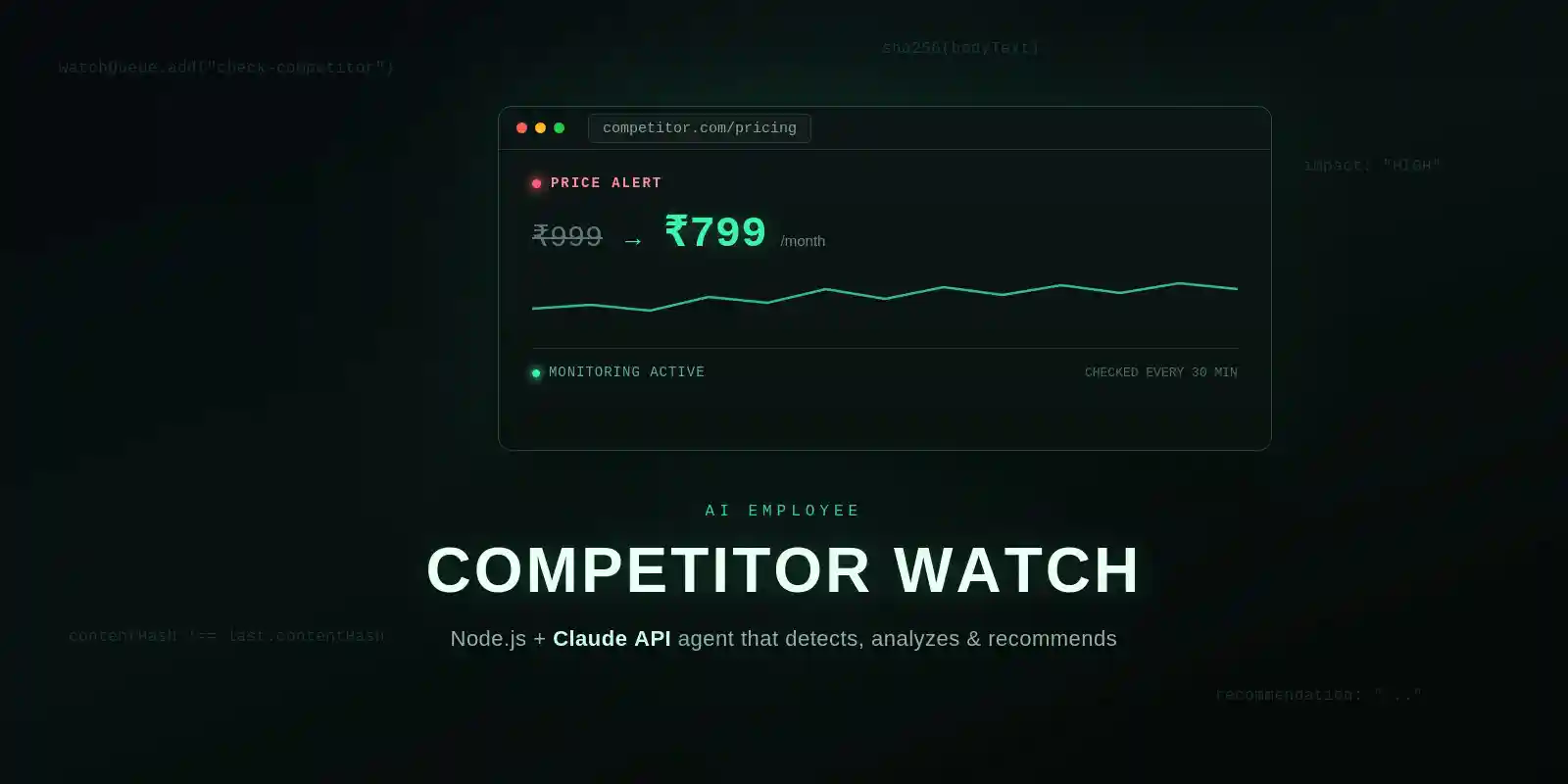
What Is an AI Competitor-Monitoring Agent, Really?
It’s tempting to think of this as “an AI that watches websites.” It’s more accurate — and more useful — to think of it as four small jobs chained together, where each job hands its output to the next one automatically:
- Watch — visit competitor pages on a schedule and pull out the parts that matter (price, headline, plan names).
- Detect — compare what you just pulled against the last known version and flag only real changes.
- Analyze — figure out what the change actually means and whether it’s worth your attention.
- Alert — put that analysis in front of you (or your team) somewhere you’ll actually see it.
Steps 1, 2, and 4 are plain backend engineering — nothing magical. Step 3 is where an LLM earns its place: a raw diff like ₹999 → ₹799 doesn’t tell you why it matters. Claude reading that diff alongside the surrounding page context and telling you “this is a defensive move, they’re matching your last promo, low urgency” — that’s the part a cron job alone can’t do.
The 4-Part Stack: Watch → Diff → Analyze (Claude) → Alert
Here’s the stack, and the stack is deliberately boring — every piece is a well-known tool doing one job well.
| Layer | Tool | Job |
|---|---|---|
| Scheduling & retries | BullMQ + Redis | Run each competitor check on a timer, retry failed scrapes |
| Scraping | Playwright | Load the page (including JS-rendered pricing widgets) and extract text |
| Storage | MongoDB | Store the last known snapshot per competitor to diff against |
| Analysis | Claude API (claude-sonnet-5) | Turn a raw diff into a structured, human-readable verdict |
| Alerting | Telegram Bot API | Push the verdict straight to your phone |
Step 1: The Watcher (scrape on a schedule)
Set up the project and dependencies:
bash
mkdir competitor-watch-agent && cd competitor-watch-agent
npm init -y
npm install express mongoose ioredis bullmq playwright @anthropic-ai/sdk dotenv winston
npx playwright install chromium
The scraper itself. Playwright is the right tool here (not Cheerio) because most pricing pages render their price via JavaScript, and you need a real browser context to see the final DOM:
js
// scraper.js
import { chromium } from "playwright";
import crypto from "crypto";

export async function scrapeCompetitor(url, priceSelector) {
  const browser = await chromium.launch({ headless: true });
  const page = await browser.newPage();
  await page.goto(url, { waitUntil: "networkidle" });

  const priceText = priceSelector
    ? (await page.locator(priceSelector).first().textContent())?.trim()
    : null;

  const bodyText = await page.locator("body").innerText();
  const contentHash = crypto.createHash("sha256").update(bodyText).digest("hex");

  await browser.close();
  return { priceText, contentHash, rawExcerpt: bodyText.slice(0, 2000) };
}
Step 2: The Diff Engine (know what actually changed)
Every check gets saved as a snapshot. The next check compares hashes — if nothing changed, the pipeline stops right here and Claude never even gets called (this is what keeps your API bill sane):
js
// models/snapshot.js
import mongoose from "mongoose";

const snapshotSchema = new mongoose.Schema({
  competitor: String,
  url: String,
  priceText: String,
  contentHash: String,
  rawExcerpt: String,
  checkedAt: { type: Date, default: Date.now },
});

export const Snapshot = mongoose.model("Snapshot", snapshotSchema);
Step 3: Claude, the Analyst (the part that used to be manual)
This is the piece that replaces you squinting at two screenshots trying to figure out if a change matters. I use Claude’s structured outputs feature here instead of just asking for “JSON please” in the prompt — it constrains the response to a schema, so I never get a broken JSON.parse() in production:
js
// aiAnalyst.js
import Anthropic from "@anthropic-ai/sdk";

const client = new Anthropic({ apiKey: process.env.ANTHROPIC_API_KEY });

const ANALYSIS_SCHEMA = {
  type: "object",
  properties: {
    changeType: {
      type: "string",
      enum: ["price_drop", "price_increase", "content_update", "no_material_change"],
    },
    impact: { type: "string", enum: ["LOW", "MEDIUM", "HIGH"] },
    summary: { type: "string" },
    recommendation: { type: "string" },
  },
  required: ["changeType", "impact", "summary", "recommendation"],
};

export async function analyzeChange({ competitor, oldPrice, newPrice, oldExcerpt, newExcerpt }) {
  const response = await client.messages.create({
    model: "claude-sonnet-5",
    max_tokens: 500,
    system:
      "You are a competitive-intelligence analyst. Compare the old and new snapshot of a " +
      "competitor's page and decide what changed, how much it matters, and what the user " +
      "should consider doing next. Be concise and specific — no generic advice.",
    messages: [
      {
        role: "user",
        content:
          `Competitor: ${competitor}\n` +
          `Old price: ${oldPrice ?? "unknown"}\n` +
          `New price: ${newPrice ?? "unknown"}\n\n` +
          `Old page excerpt:\n${oldExcerpt}\n\n` +
          `New page excerpt:\n${newExcerpt}`,
      },
    ],
    output_config: {
      format: { type: "json_schema", schema: ANALYSIS_SCHEMA },
    },
  });

  const block = response.content.find((b) => b.type === "text");
  return JSON.parse(block.text);
}
In the demo I recorded, this is exactly what it does: a competitor quietly drops their plan from ₹999 to ₹799/month, and instead of just “price changed,” you get impact: "HIGH" with a one-line recommendation to review your own positioning — the DETECT → ANALYZE → RECOMMEND flow from the video is literally this function.
Step 4: The Notifier (put it somewhere you’ll see it)
Telegram is the fastest way to get this onto your phone with zero extra infra:
js
// notifier.js
export async function sendAlert({ competitor, url, changeType, impact, summary, recommendation }) {
  const text =
    `🚨 *${competitor} changed* (${impact} impact)\n` +
    `${changeType.replace(/_/g, " ")}\n\n` +
    `${summary}\n\n` +
    `*Recommendation:* ${recommendation}\n${url}`;

  await fetch(`https://api.telegram.org/bot${process.env.TELEGRAM_BOT_TOKEN}/sendMessage`, {
    method: "POST",
    headers: { "Content-Type": "application/json" },
    body: JSON.stringify({ chat_id: process.env.TELEGRAM_CHAT_ID, text, parse_mode: "Markdown" }),
  });
}
Wiring It Together With BullMQ
This is the part most tutorials skip: don’t run the scrape-diff-analyze-alert chain in a plain setInterval. If a scrape hangs or Claude’s API has a slow moment, you want retries and backoff — not a crashed process. BullMQ gives you both for free:
js
// worker.js
import { Worker, Queue } from "bullmq";
import IORedis from "ioredis";
import { Snapshot } from "./models/snapshot.js";
import { scrapeCompetitor } from "./scraper.js";
import { analyzeChange } from "./aiAnalyst.js";
import { sendAlert } from "./notifier.js";

const connection = new IORedis(process.env.REDIS_URL);
export const watchQueue = new Queue("competitor-watch", { connection });

// Schedule a repeatable check every 30 minutes
await watchQueue.add(
  "check-competitor",
  { competitor: "Competitor A", url: "https://competitor.com/pricing", priceSelector: ".price" },
  { repeat: { every: 30 * 60 * 1000 }, jobId: "check-competitor-a", attempts: 3, backoff: { type: "exponential", delay: 5000 } }
);

new Worker(
  "competitor-watch",
  async (job) => {
    const { competitor, url, priceSelector } = job.data;
    const current = await scrapeCompetitor(url, priceSelector);
    const last = await Snapshot.findOne({ competitor, url }).sort({ checkedAt: -1 });

    await Snapshot.create({ competitor, url, ...current });

    if (!last || last.contentHash === current.contentHash) return; // nothing new

    const analysis = await analyzeChange({
      competitor,
      oldPrice: last.priceText,
      newPrice: current.priceText,
      oldExcerpt: last.rawExcerpt,
      newExcerpt: current.rawExcerpt,
    });

    await sendAlert({ competitor, url, ...analysis });
  },
  { connection }
);
Every competitor is just one more watchQueue.add() call with a different URL and selector — that’s the whole “add a new competitor” workflow.
Should the Agent Auto-Execute Price Changes?
The demo shows an “Execute” button next to the recommendation, and that’s intentional framing, not a suggestion to wire it up to your actual pricing API unattended. Keep a human in the loop on anything that touches revenue: let the agent detect, analyze, and recommend at full speed — but let a person click “approve” before any price actually changes. The automation should compress hours of manual checking into a 10-second decision for you, not remove the decision entirely.
Why This Beats Manually Checking Competitor Sites
- You stop missing things. A price quietly changed at 2am gets caught at 2am, not three days later when you happen to check.
- Context, not just a diff. Claude reads the surrounding page, not just the number — so you get “why this matters,” not just “this changed.”
- It scales for free. Watching 3 competitors or 30 costs you one more
watchQueue.add()call, not more of your time. - It never gets bored. A human checking the same five pages daily starts skimming after week two. The agent doesn’t.
Common Mistakes to Avoid
- Scraping without checking
robots.txtor terms of service. Stick to public pricing/marketing pages, keep request rates reasonable, and prefer an official API or RSS feed where the competitor offers one. - No hash check before calling Claude. Skipping Step 2 means you pay for an LLM call on every single run, even when nothing changed.
- Brittle CSS selectors. Pricing pages get redesigned. Fall back to scanning the page text for currency patterns when your selector returns nothing, and alert yourself when a selector breaks instead of failing silently.
- Trusting the AI verdict blind. Structured outputs guarantee valid format, not a correct conclusion — spot-check the recommendations for the first couple of weeks before you fully trust them.
- Running the scrape loop synchronously. Do this inside an Express request and one slow competitor site blocks everything behind it. That’s exactly what the BullMQ queue above is for.
How to Get the Full Blueprint
What’s above is the complete, working architecture — you can build this end to end from this post alone. If you want the full repo with all the boilerplate wired together (env config, Express routes to add/remove competitors, the Telegram bot setup), comment “AGENT” on the video and I’ll drop it, or grab it here: https://github.com/NileshRaut-code.
FAQ
Do I need Playwright, or can I use a simpler scraper? If a competitor’s price renders in plain HTML (no JavaScript), Cheerio + Axios is lighter and faster. Reach for Playwright when the price is injected client-side, which is common on modern pricing pages.
Why Claude instead of just writing if/else rules for the diff? Rules work for “price changed.” They fall apart the moment the change is a rewritten headline, a removed feature, or a new plan tier — anything where “does this matter” requires reading, not pattern-matching. That’s exactly the judgment call an LLM handles well.
How often should the agent check each competitor? Every 30–60 minutes is plenty for pricing pages. Checking more often than that mostly just increases your infra cost without catching anything meaningfully faster.
Will this get me blocked by competitor sites? Respectful scraping — a normal user-agent, sane request intervals, and only public pages — rarely trips anti-bot systems built for a single check every 30 minutes. Aggressive, high-frequency scraping is a different story.
Can this also watch my own site for accidental changes? Yes — point the same watcher at your own pricing or landing page and you get free regression alerts for anything a teammate ships without telling you.
Wrapping Up
An “AI employee” isn’t a single clever prompt — it’s a scheduler that never forgets, a diff engine that only speaks up when something real happened, and an LLM that turns that diff into a judgment call. Wire up the four pieces above, point them at your competitors, and you’ve got the exact system from the video watching your market while you sleep.