
Modern users don’t think in milliseconds — they think in feel.
If a UI feels slow, it’s broken. And one of the most obvious places users notice this is during video timeline interactions. When someone scrubs a video and preview images appear instantly, the system feels polished. When previews lag or flicker, it feels cheap.
That smooth experience doesn’t come from faster networks or clever caching alone. It comes from removing the network entirely from the interaction path.
That’s where sprite sheets come in.
This post explains the sprite sheet concept end to end, from backend video processing in Node.js to frontend rendering in React, including chunking strategies and mobile optimizations that matter in real production systems.
The Core Problem Sprite Sheets Solve
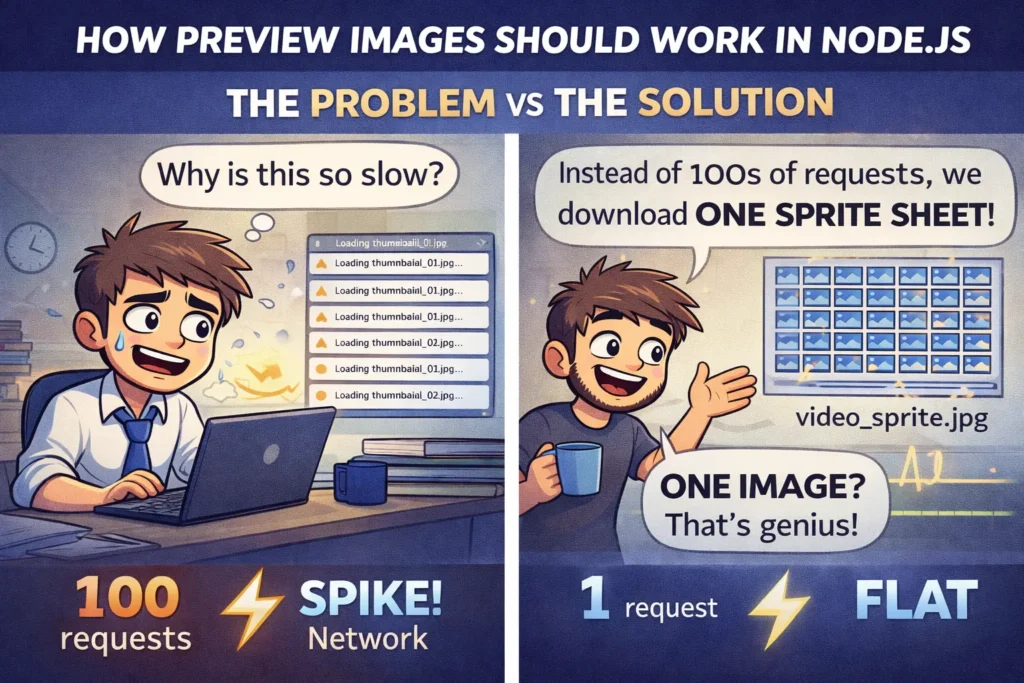
Consider a video that’s 10 minutes long.
If you generate a preview every 2 seconds, you end up with 300 images for a single video.
Now multiply that by:
- thousands of videos,
- millions of users,
- constant scrubbing activity.
If each hover movement triggered an image request:
- backend traffic would spike,
- previews would lag,
- CDN caching would struggle,
- mobile devices would suffer.
Sprite sheets exist for one simple reason:
The network is too slow for interactive UI elements.
The goal is to load one image once, then reuse it locally.
What a Sprite Sheet Actually Is
A sprite sheet is a single image file that contains many smaller images arranged in a predictable grid.
Each small image represents:
- a video frame,
- a thumbnail,
- or a preview state.
Instead of fetching dozens or hundreds of images, the frontend fetches one sprite sheet and uses coordinates to display only the relevant section.
Once loaded, everything happens locally in the browser.
Here’s an example of a real sprite sheet generated from a video, showing how multiple preview frames are packed into a single image.

Real-World Example: Video Timeline Hover
On video platforms:
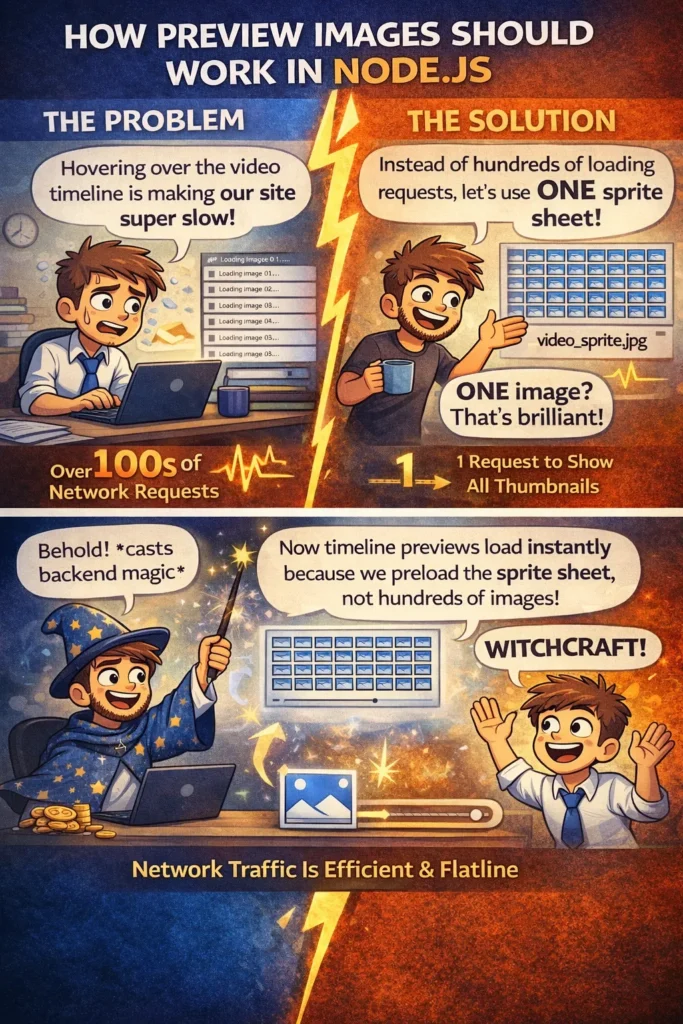
- hover previews update instantly,
- there are no loading indicators,
- network traffic stays flat.
Behind the scenes:
- The sprite sheet is downloaded once
- Metadata tells the frontend how frames are arranged
- Hovering changes only the background position
No additional API calls. No waiting.
That’s the entire trick.
Sprite Sheets Are a Backend + Frontend Contract
Sprite sheets are not a frontend trick.
They are a system-level contract.
- Backend defines how images are generated and arranged
- Frontend relies on that structure exactly
If the contract breaks, previews break.
Backend Responsibilities (Node.js)
In a Node.js system, sprite sheet generation should always be asynchronous and offline from request handling.
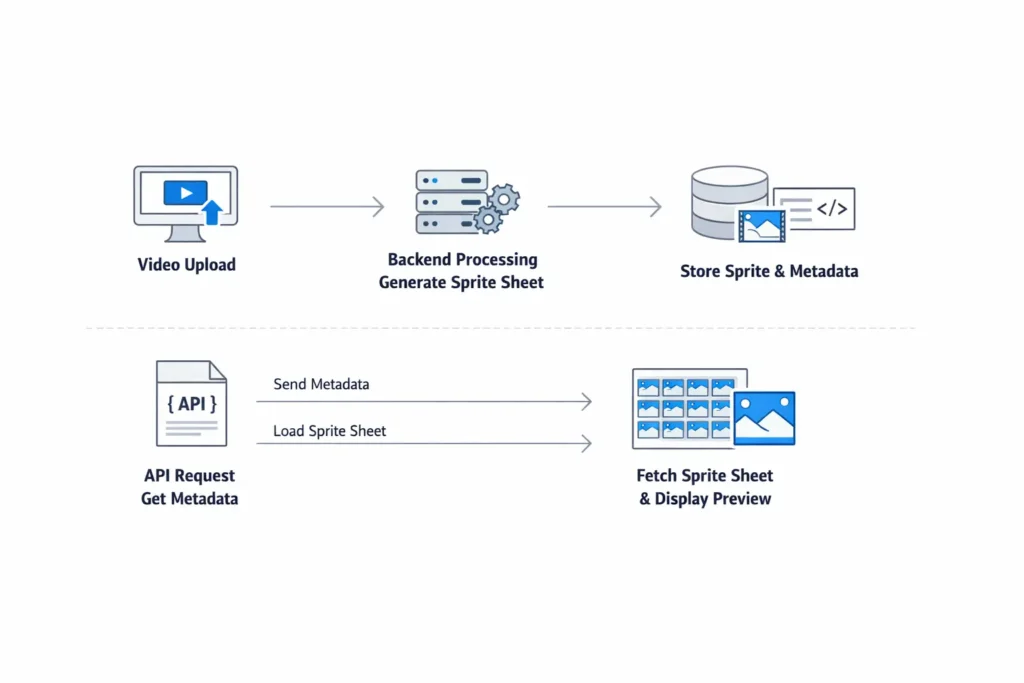
The backend pipeline typically looks like this:
- Video upload
- Background processing trigger
- Frame extraction
- Sprite sheet generation
- Metadata storage
- API exposure
- Static asset serving
Each step exists for scalability and reliability.
Step 1: Handle Video Uploads
Uploads should be fast and non-blocking.
const express = require("express");
const multer = require("multer");

const upload = multer({ dest: "uploads/" });
const app = express();

app.post("/upload", upload.single("video"), (req, res) => {
  // enqueue processing job here
  res.json({ message: "Video uploaded successfully" });
});
Processing should never happen in this request.
Step 2: Extract Frames with FFmpeg
Frame extraction is CPU-intensive and belongs in background workers.
const { exec } = require("child_process");

function extractFrames(videoPath, outputDir) {
  return new Promise((resolve, reject) => {
    const command = `
      ffmpeg -i ${videoPath}
      -vf fps=1/2
      ${outputDir}/frame_%03d.jpg
    `;
    exec(command, err => (err ? reject(err) : resolve()));
  });
}
This extracts one frame every 2 seconds.
Step 3: Generate Sprite Sheets with Sharp
const sharp = require("sharp");
const fs = require("fs");
const path = require("path");

async function generateSpriteSheet(framesDir, outputPath, columns, frameWidth, frameHeight) {
  const files = fs.readdirSync(framesDir).filter(f => f.endsWith(".jpg"));
  const rows = Math.ceil(files.length / columns);

  const base = sharp({
    create: {
      width: columns * frameWidth,
      height: rows * frameHeight,
      channels: 3,
      background: { r: 0, g: 0, b: 0 }
    }
  });

  const composites = files.map((file, i) => ({
    input: path.join(framesDir, file),
    left: (i % columns) * frameWidth,
    top: Math.floor(i / columns) * frameHeight
  }));

  await base.composite(composites).jpeg().toFile(outputPath);

  return { rows, columns, frameWidth, frameHeight };
}
Step 4: Store Sprite Metadata
const spriteMetadata = {
  spriteUrl: "/sprites/video_101.jpg",
  frameWidth: 160,
  frameHeight: 90,
  columns: 5,
  rows: 6,
  intervalSeconds: 2
};
Metadata is critical. Without it, the frontend can’t interpret the image.
Step 5: Serve Metadata and Assets
app.get("/api/video/:id/sprite", (req, res) => {
  res.json(spriteMetadata);
});

app.use("/sprites", express.static("sprites"));
Sprite images should be cached aggressively and ideally served via a CDN.
React Frontend Implementation
Now let’s look at how a React app consumes sprite sheets.
Basic Preview Component
import { useEffect, useRef, useState } from "react";

function VideoHoverPreview({ videoDuration }) {
  const previewRef = useRef(null);
  const [sprite, setSprite] = useState(null);

  useEffect(() => {
    fetch("/api/video/101/sprite")
      .then(res => res.json())
      .then(setSprite);
  }, []);

  if (!sprite) return null;

  const handleMouseMove = (e) => {
    const rect = e.currentTarget.getBoundingClientRect();
    const x = e.clientX - rect.left;

    const time = (x / rect.width) * videoDuration;
    const frameIndex = Math.floor(time / sprite.intervalSeconds);

    const col = frameIndex % sprite.columns;
    const row = Math.floor(frameIndex / sprite.columns);

    previewRef.current.style.backgroundPosition =
      `-${col * sprite.frameWidth}px -${row * sprite.frameHeight}px`;
  };

  return (
    <div onMouseMove={handleMouseMove} className="timeline">
      <div
        ref={previewRef}
        className="preview"
        style={{
          width: sprite.frameWidth,
          height: sprite.frameHeight,
          backgroundImage: `url(${sprite.spriteUrl})`,
          backgroundRepeat: "no-repeat"
        }}
      />
    </div>
  );
}

export default VideoHoverPreview;
This works because all heavy lifting was done by the backend.
Sprite Sheet Chunking Strategies
Large videos produce many frames. Putting them all in one sprite sheet is rarely ideal.
Why Chunking Matters
- Very large images increase memory usage
- Mobile devices struggle with huge textures
- Initial load becomes slow
Common Chunking Strategy
- One sprite sheet per 20–30 frames
- Multiple sprite sheets per video
- Metadata includes sprite index ranges
Example:
{
  "sprites": [
    { "url": "/sprites/video_101_1.jpg", "start": 0, "end": 49 },
    { "url": "/sprites/video_101_2.jpg", "start": 50, "end": 99 }
  ]
}
Frontend switches sprite sheets when frame index crosses boundaries.
This balances load time and memory usage.
Mobile Optimization Techniques
Sprite sheets must be mobile-aware.
1. Use Smaller Frames on Mobile
Serve different metadata based on device type:
- smaller frame size
- fewer frames per sprite
2. Reduce Sprite Sheet Resolution
Mobile previews don’t need desktop-level detail.
3. Lazy Load Sprite Sheets
Only load sprites when the user interacts with the timeline.
4. Limit Sprite Count
Mobile users scrub less aggressively. Optimize for realistic usage.
5. Use will-change Carefully
Avoid forcing GPU memory spikes with large images.
Common Production Mistakes
- Generating sprite sheets synchronously
- Hardcoding frame sizes
- Using one giant sprite sheet
- Ignoring mobile constraints
- Treating sprite sheets as frontend-only
Most preview bugs come from broken backend–frontend contracts.
When Sprite Sheets Are Not a Good Fit
Avoid sprite sheets when:
- previews are rarely used
- images change frequently
- memory is tightly constrained
- real-time generation is required
Optimization should always be intentional.
Why Sprite Sheets Still Matter Today
Even with HTTP/3, CDNs, and faster devices:
- latency still exists,
- interaction speed still matters,
- predictability beats cleverness.
Sprite sheets eliminate uncertainty.
Final Thoughts
Sprite sheets aren’t hacks or legacy tricks.
They’re a deliberate system design choice.
When backend and frontend work together:
- assets are prepared ahead of time,
- UI interactions feel instant,
- infrastructure stays stable.
That’s why sprite sheets are still used by serious production systems.
If you’re building:
- video platforms,
- interactive media UIs,
- timeline previews,
sprite sheets remain one of the cleanest and most reliable solutions available.