A practical guide based on real-world experience
AI writing code fast isn’t surprising anymore. That part of the conversation is mostly over.
What still trips people up is this: fast code generation doesn’t reduce responsibility — it increases it. When code is cheap to produce, judgment becomes the scarce skill.
If you’ve worked on production systems for any length of time, you already know this. The hard part of engineering has never been typing code. It’s understanding what the code does, how it fails, and what it costs to maintain over time.
This post is about how experienced engineers actually review AI-written code in real projects — not demos, not toy apps, and not hype-driven examples.
The First Rule: Treat AI Code as a Draft
Senior engineers don’t reject AI-written code by default.
They also don’t trust it by default.
The right mental model is simple:
AI-written code is a starting point, not an answer.
It may compile.
It may pass tests.
It may even look cleaner than human-written code.
None of that guarantees it’s correct, safe, or appropriate for your system.
The more polished AI code looks, the easier it is to skip real review — and that’s where problems begin.
Step 1: Understand the Intent Before Reading the Code
Before you look at a single line, stop and ask:
- What problem is this code trying to solve?
- Who depends on this behavior?
- What guarantees does it claim to provide?
- What would failure look like?
AI often solves exactly what it was asked — which isn’t always what the system actually needs.
If you can’t clearly explain the intent in your own words, reviewing the implementation is pointless. Clean code that solves the wrong problem is still wrong.
Step 2: Think About Failure First, Not Success
Junior engineers often ask, “Does this work?”
Senior engineers ask, “How does this fail?”
AI-written code usually handles the happy path well. Production issues rarely come from the happy path.
Ask questions like:
- What happens with invalid or unexpected input?
- What happens under load?
- What happens if a dependency slows down or times out?
- What happens when this code is called more often than expected?
If failure behavior isn’t obvious, that’s a warning sign.
A Real Production Lesson: The Clean Refactor That Broke Traffic
In one system, AI was used to refactor request-handling logic. The new code was shorter, clearer, and easier to read.
What it also did was remove a subtle guard that limited concurrency.
Under real traffic:
- Requests stacked up
- Downstream services throttled
- Latency spiked across the system
The refactor passed review because the review focused on readability, not behavior.
Lesson: refactors can change system behavior even when nothing “looks wrong.”
Step 3: Hunt for Assumptions
AI is very good at making assumptions quietly.
Common examples:
- A value is never null
- A list is always sorted
- A function is only called once
- A dependency is always fast
Assumptions are not guarantees.
Senior engineers look for where assumptions are enforced. If there’s no explicit enforcement, the assumption will eventually break — usually at the worst possible time.
Step 4: Review Security Before Style 🔐
Formatting, naming, and structure come later. Security comes first.
When reviewing AI-written code, explicitly check:
- Authentication
- Authorization
- Input validation
- Data exposure
- Default behavior
AI-generated code often looks professional while quietly skipping security boundaries.
A Real Example
In one internal tool, AI-generated role logic included a default “allow” branch. Tests passed because they only covered valid roles.
A missing role value resulted in broader access than intended.
Nothing crashed. Nothing logged an error. The system just quietly did the wrong thing.
Lesson: AI doesn’t threat-model. Engineers must.
Step 5: Be Honest About Complexity
AI tends to swing between two extremes:
- Over-engineering simple problems
- Under-engineering complex ones
Senior engineers ask:
- Is this abstraction solving a real problem today?
- Or is it adding mental overhead for a hypothetical future?
Clarity beats cleverness. Code that is easy to understand today is easier to change tomorrow.
Junior vs Senior Code Review Mindset
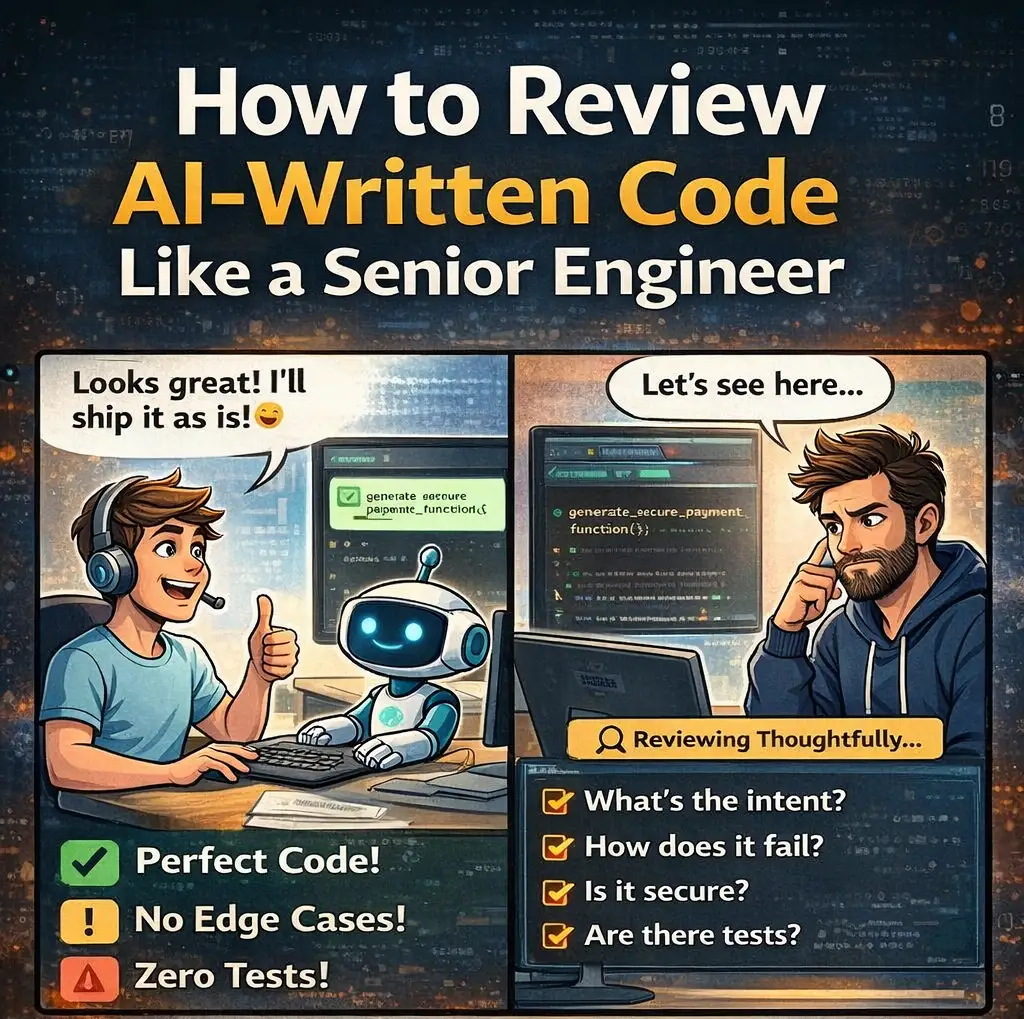
Junior reviews often focus on:
- Syntax
- Formatting
- Whether the code compiles
- Whether tests pass
Senior reviews focus on:
- Intent and correctness
- Failure modes
- Security boundaries
- Long-term ownership
- Production impact
AI makes this distinction more important, not less, because it produces a lot of “confident-looking” code very quickly.
Step 6: Read the Code Like You’ll Own It for Years
A useful question is:
Would I be comfortable debugging this at 2 AM?
Look for:
- Honest and specific naming
- Clear control flow
- Obvious side effects
AI-generated code often hides complexity behind helpers or uses generic names that feel fine now but become painful later.
If the code is hard to reason about during review, it will be worse in production.
Step 7: Check Observability
When something goes wrong, how will you know?
Senior engineers look for:
- Useful logs
- Actionable error messages
- Clear failure signals
One of the most dangerous patterns in AI-written code is silent failure — retries without limits, swallowed exceptions, or vague logs.
Failures should be visible, not buried.
Step 8: Never Approve Without Meaningful Tests
Tests are not optional just because the code “looks right.”
Check whether tests:
- Cover edge cases
- Assert behavior, not implementation
- Would actually catch a real bug
AI-generated tests often inflate coverage without increasing confidence. Coverage is not the goal — understanding is.
Step 9: Decide What to Keep and What to Rewrite
Senior engineers don’t treat AI output as all-or-nothing.
Often the right approach is:
- Keep the structure
- Rewrite critical logic
- Simplify unnecessary abstractions
AI accelerates drafting. Humans still finalize responsibility.
A Simple AI Code Review Checklist
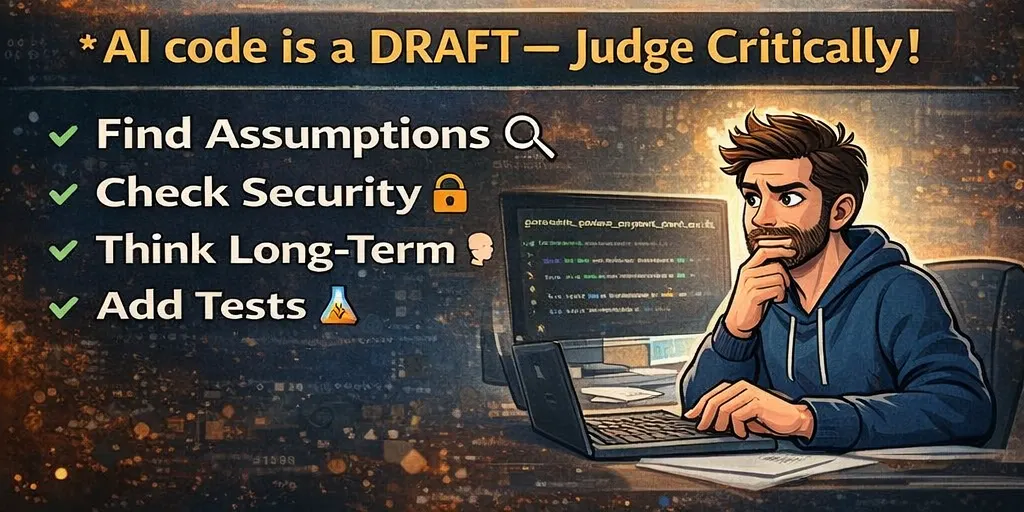
Use this when reviewing AI-written code:
Intent
- Do I understand what this is supposed to do?
Failure
- How does this behave when things go wrong?
Assumptions
- What must always be true for this to work?
Security
- Are access and validation explicit?
Complexity
- Is this simpler than it needs to be?
Observability
- Will failures be obvious in production?
Tests
- Do tests cover real edge cases?
Ownership
- Would I want to maintain this?
If any answer feels weak, the code isn’t ready.
Why This Skill Matters More Every Year
As AI writes more code:
- Codebases grow faster
- Context becomes thinner
- Risk accumulates quietly
The engineers who stand out won’t be the ones generating the most code. They’ll be the ones who can look at clean, confident solutions and say, “This looks fine — but it’s not safe yet.”
That judgment comes from experience, not tools.
Here are three useful sections:
👉 General prompt library:
AI Prompts List
👉 Exclusive Coding Assistance Prompts:
coding assistance Prompts
👉 Exclusive Product Management Prompts:
Product Management Prompts
Final Thoughts
AI doesn’t remove responsibility. It concentrates it.
If you approve AI-written code, you own it:
- In production
- During incidents
- In postmortems
Use AI to move faster, but review like an engineer who expects to be paged when things break.
AI helps you write code faster.
Engineering judgment is what makes it reliable.