A year ago, most developers experimenting with AI coding assistants were happy paying a few dollars per month for API usage. Then projects became larger. Agents started generating thousands of tokens per request. Tools like Claude Code, Cursor, Cline, and autonomous coding workflows turned “a few dollars” into surprisingly large monthly bills.
It usually happens slowly.
First, it’s $20.
Then a few heavy coding sessions later, it becomes $80–$200.
Teams running agent loops, codebase indexing, RAG pipelines, and long-context workflows can easily burn through hundreds or even thousands of dollars every month using hosted APIs.
At the same time, developers have started hitting another problem: privacy.
Sending proprietary source code, production logs, architecture documents, customer data, or internal APIs to external inference providers makes many companies uncomfortable — especially startups handling sensitive client data.
That’s why local LLM setups have exploded in popularity.
Today, you can run surprisingly capable models directly on your laptop or workstation using tools like:
- Ollama
- Open WebUI
- Continue
- Cline
- vLLM
And honestly, local inference is now good enough for many real-world development tasks:
- Code generation
- Refactoring
- Documentation
- Unit tests
- SQL generation
- Internal copilots
- Offline coding
- Private RAG systems
- AI experimentation
But there’s also a lot of hype online.
Some tutorials pretend you can run massive models smoothly on low-end laptops. Others ignore GPU memory limitations entirely. Some recommend broken commands copied from outdated documentation.
This guide avoids all of that.
Everything below is focused on real-world, working setups that developers can actually use today.
What “Running an LLM Locally” Actually Means
When people say “run llm locally,” they usually mean:
Downloading an AI model onto your own machine and running inference directly on your CPU or GPU without calling a cloud API.
Instead of sending prompts to:
- Claude API
- OpenAI API
- Gemini API
- Groq
- Together AI
- OpenRouter
…your computer becomes the inference server.
What Is Inference?
Inference is simply the process of generating tokens from a trained model.
The training already happened elsewhere on enormous GPU clusters.
You are only running the final model weights locally.
Think of it like this:
- Training = building the brain
- Inference = using the brain
Local AI setups focus only on inference.
What Are Quantized Models?
Raw LLMs are huge.
A normal 70B parameter model in full precision can require well over 100GB of VRAM.
That’s impossible for most developers.
Quantization reduces model size by compressing weights into lower precision formats.
Common quantization formats:
- Q2
- Q4_K_M
- Q5
- Q6
- Q8
Smaller quantization:
- Uses less RAM
- Runs faster
- Slightly reduces quality
For most coding workflows, Q4 quantization is the practical sweet spot.
What Is GGUF?
GGUF is a model format optimized for local inference.
It’s heavily used by:
- Ollama
- llama.cpp
- LM Studio
GGUF models are designed to run efficiently on consumer hardware.
If you see filenames like:
deepseek-coder-6.7b-instruct.Q4_K_M.gguf
…that’s a quantized local model.
GPU vs CPU Inference
This is where most beginners get confused.
CPU Inference
Pros:
- Works on almost any machine
- No dedicated GPU required
- Easier setup
Cons:
- Much slower
- Large models become painful
- Agent workflows feel sluggish
CPU-only setups are usable for:
- Small models
- Learning
- Light coding assistance
GPU Inference
Pros:
- Dramatically faster
- Better multitasking
- Practical coding workflows
- Better context handling
Cons:
- Expensive GPUs
- CUDA setup headaches
- VRAM limitations
If you plan to use local AI daily for coding, a GPU matters a lot.
Understanding VRAM
VRAM is usually the real bottleneck.
Approximate requirements:
| Model Size | Minimum VRAM |
|---|---|
| 3B | 4GB |
| 7B | 8GB |
| 14B | 12–16GB |
| 32B | 24GB+ |
| 70B | 48GB+ |
You can offload some layers to system RAM, but performance drops significantly.
Token Generation Speed
Speed is measured in:
- tokens/sec
Rough expectations:
| Hardware | Typical Speed |
|---|---|
| CPU only | 2–8 tok/sec |
| RTX 3060 | 20–40 tok/sec |
| RTX 4090 | 80–150 tok/sec |
| Apple M3 Max | 40–90 tok/sec |
Coding assistants become noticeably frustrating below ~10 tok/sec.
Cloud APIs vs Local LLMs
Here’s the honest comparison.
| Factor | Cloud APIs | Local LLMs |
|---|---|---|
| Upfront Cost | Low | Medium/High |
| Long-Term Cost | Expensive | Much cheaper |
| Privacy | External provider | Fully local |
| Speed | Usually faster | Depends on hardware |
| Setup Complexity | Easy | Medium |
| Maintenance | Minimal | Your responsibility |
| Offline Usage | No | Yes |
| Scalability | Excellent | Hardware limited |
| Best Models | Better reasoning | Slightly weaker |
| Context Length | Often larger | Limited by VRAM |
When Local LLMs Make Sense
Local setups are excellent for:
- Daily coding assistance
- Refactoring
- Boilerplate generation
- Internal tooling
- Offline workflows
- Sensitive repositories
- Experimentation
- AI SaaS prototypes
- Long development sessions
When Cloud APIs Still Win
Cloud APIs still dominate for:
- Frontier reasoning
- Large context windows
- Multimodal workflows
- Advanced agents
- Image generation
- Audio pipelines
- Enterprise scalability
A lot of developers now use a hybrid approach:
- Local models for daily coding
- Claude/OpenAI for difficult reasoning tasks
That’s honestly the most practical setup right now.
Minimum Hardware Requirements
This section matters more than most tutorials admit.
8GB RAM Systems
Reality:
- Very limited
- Small quantized models only
Recommended:
- Phi-3 Mini
- TinyLlama
- Gemma 2B
Usable for:
- Learning
- Small prompts
- Basic coding help
Not ideal for:
- Large repositories
- Agents
- Multi-file reasoning
16GB RAM Systems
This is the minimum practical setup for most developers.
You can comfortably run:
- 7B models
- Some 14B quantized models
Good choices:
- DeepSeek Coder 6.7B
- Qwen2.5 Coder 7B
- Llama 3 8B
32GB RAM Systems
This is where local AI becomes genuinely enjoyable.
You can:
- Run larger models
- Use longer context windows
- Run Open WebUI + Ollama together
- Experiment with RAG
Recommended for serious developers.
MacBook Setups
Apple Silicon changed local AI completely.
M-series Macs are excellent for local inference because unified memory behaves differently than traditional VRAM separation.
Good Mac setups
| Mac | Recommendation |
|---|---|
| M1/M2 Air 8GB | Small models only |
| M1 Pro 16GB | Solid entry setup |
| M2/M3 Pro 32GB | Excellent |
| M3 Max 64GB+ | Extremely strong |
MacBooks are surprisingly efficient for local AI.
NVIDIA GPU Setups
NVIDIA still dominates local inference.
Best practical GPUs:
| GPU | Recommendation |
|---|---|
| RTX 3060 12GB | Great budget option |
| RTX 4070 Super | Excellent mid-range |
| RTX 4090 | Local AI monster |
12GB VRAM is the realistic minimum for comfortable coding workflows.
AMD GPU Limitations
AMD support exists but is still inconsistent.
You may encounter:
- ROCm issues
- Compatibility problems
- Slower optimization support
Linux users usually have a better experience than Windows users with AMD.
CPU-Only Limitations
CPU inference works.
But expectations matter.
Large coding agents on CPU-only systems can become painfully slow.
You’ll often wait:
- 20–60 seconds per response
- Longer for agents
- Much longer for RAG
It’s usable for learning, but not ideal for productivity-heavy workflows.
Best Local LLMs for Coding
The local model ecosystem changes fast, but these are currently the most practical options.
DeepSeek Coder
DeepSeek
Strengths
- Excellent coding quality
- Strong refactoring
- Good instruction following
- Efficient for size
Weaknesses
- Can hallucinate architecture decisions
- Not as strong as Claude for reasoning
Best Use Cases
- Full stack coding
- Refactoring
- API generation
- Bug fixing
Recommended Version
deepseek-coder:6.7b
Qwen2.5 Coder
Alibaba Cloud
Qwen coder models are currently among the best local coding models for many developers.
Strengths
- Strong coding performance
- Great multilingual support
- Good context handling
Weaknesses
- Larger variants require more VRAM
Recommended
qwen2.5-coder:7b
Llama 3
Meta
Still one of the best balanced general-purpose local models.
Strengths
- Strong ecosystem
- Reliable
- Great tooling support
Weaknesses
- Coding performance slightly behind specialized coder models
Best For
- General assistant workflows
- Mixed reasoning + coding
Mistral
Mistral AI
Mistral models are fast and lightweight.
Excellent for:
- Low-resource systems
- Fast inference
- Lightweight assistants
Phi
Microsoft
Small but surprisingly capable.
Good for:
- 8GB RAM laptops
- Offline note-taking assistants
- Lightweight coding help
Codestral
Mistral’s coding-focused model.
Very good for:
- Autocomplete
- Boilerplate
- Fast iteration
But large variants can consume serious VRAM.
Gemma
Efficient and lightweight.
Not always the best coding model, but useful for experimentation.
Step-by-Step Ollama Setup
Ollama is currently the easiest way to run AI models locally.
It abstracts away most inference complexity.
Windows Setup
Download the installer from:
Install normally.
Then verify:
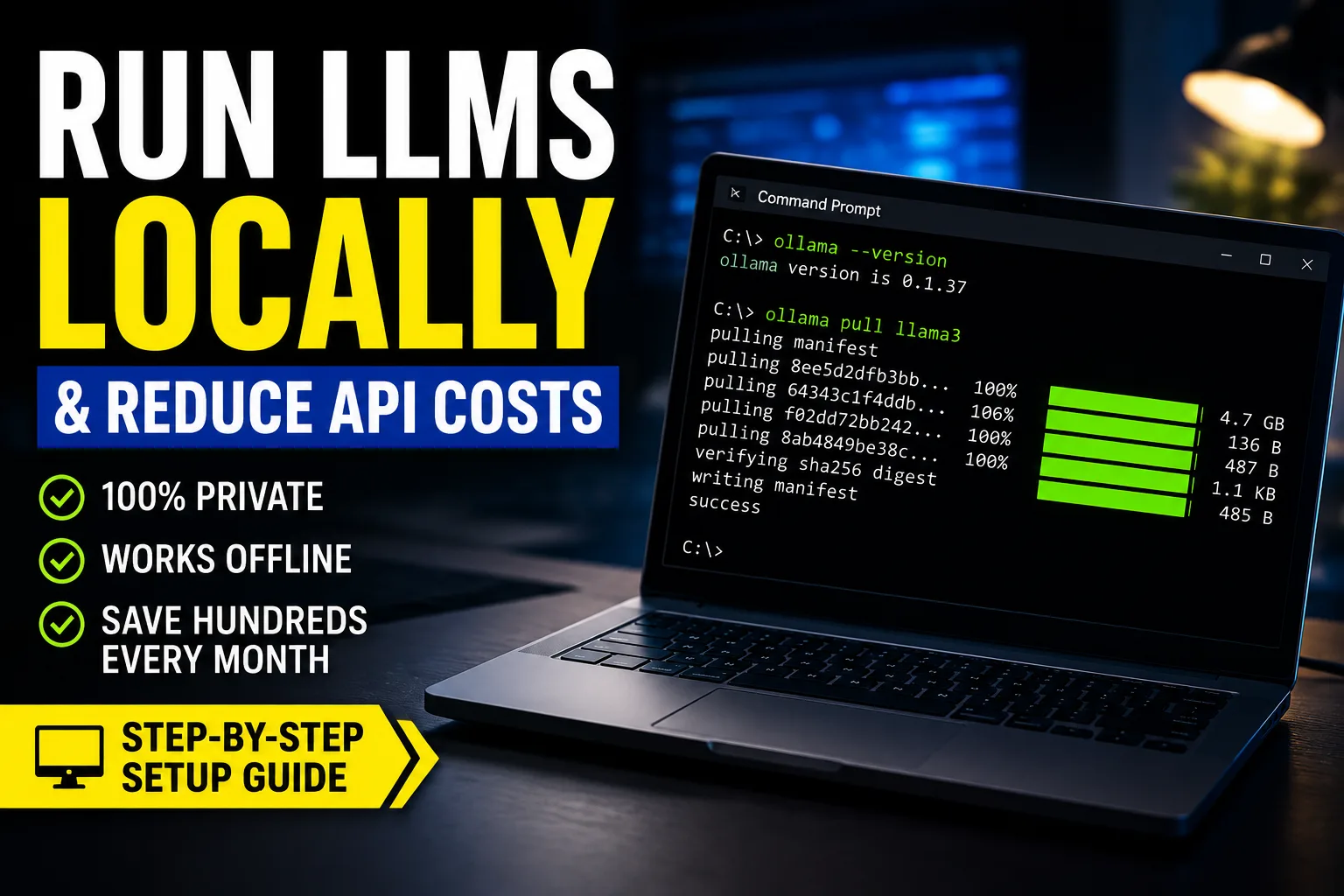
ollama --version
Expected output:
ollama version is 0.x.x
Pull Your First Model
Example:
ollama pull llama3
Or:
ollama pull deepseek-coder:6.7b
Run the Model
ollama run llama3
You’ll enter an interactive shell.
Exit with:
/bye
Mac Setup
Install using Homebrew:
brew install ollama
Start the server:
ollama serve
In another terminal:
ollama run qwen2.5-coder:7b
Linux Setup
Recommended:
curl -fsSL https://ollama.com/install.sh | sh
Verify:
ollama --version
Start service:
systemctl start ollama
Enable on boot:
systemctl enable ollama
Using NVIDIA GPU Acceleration
Install current NVIDIA drivers first.
Verify CUDA visibility:
nvidia-smi
If Ollama detects CUDA correctly, it automatically uses the GPU.
You usually do not need additional CUDA configuration with modern Ollama releases.
Listing Installed Models
ollama list
Removing Models
ollama rm llama3
Running a REST API Locally
Ollama exposes a local API automatically.
Default endpoint:
http://localhost:11434
Example request:
curl http://localhost:11434/api/generate -d '{
  "model": "llama3",
  "prompt": "Explain React hooks"
}'
Model Switching
You can swap models instantly:
ollama run mistral
ollama run qwen2.5-coder:7b
ollama run deepseek-coder:6.7b
This flexibility is one reason local AI workflows are becoming popular.
Setting Up a Local AI Coding Assistant
This is where local AI becomes genuinely useful.
Continue.dev Setup
Install the VS Code extension.
Then configure Ollama.
Example config:
{
  "models": [
    {
      "title": "DeepSeek Local",
      "provider": "ollama",
      "model": "deepseek-coder:6.7b"
    }
  ]
}
Recommended Workflow
Practical workflow:
- Ollama runs locally
- Continue.dev connects to Ollama
- VS Code becomes your local AI IDE
This setup avoids cloud token costs almost entirely.
Cline Setup
Cline works surprisingly well with local models now.
Inside Cline settings:
- Provider: Ollama
- Base URL:
http://localhost:11434
Recommended models:
- Qwen2.5 Coder
- DeepSeek Coder
- Llama 3
Realistic Expectations for Agents
This is important.
Local models can struggle with:
- Long autonomous loops
- Complex reasoning chains
- Massive repositories
Claude still performs better for advanced agentic reasoning.
But local agents are improving rapidly.
Open WebUI Setup
Open WebUI gives you a ChatGPT-like interface locally.
Docker Setup
Install Docker first:
Run Open WebUI:
docker run -d \
  -p 3000:8080 \
  --add-host=host.docker.internal:host-gateway \
  -v open-webui:/app/backend/data \
  --name open-webui \
  ghcr.io/open-webui/open-webui:main
Open browser:
http://localhost:3000
Connecting Ollama
Inside Open WebUI settings:
- Endpoint:
http://host.docker.internal:11434
Now your local models appear in the UI.
Multi-Model Usage
You can switch between:
- Llama 3
- DeepSeek
- Qwen
- Mistral
…inside one interface.
This becomes extremely useful for comparing coding outputs.
Local RAG Overview
RAG = Retrieval-Augmented Generation.
Typical setup:
- Documents indexed locally
- Vector database
- Local embedding model
- Local inference model
Useful for:
- Internal documentation
- Company wikis
- Personal notes
- Codebase search
Performance Optimization
This section matters more than model benchmarks.
Quantization Levels
Recommended balance:
| Quantization | Quality | Speed |
|—|—|
| Q2 | Lower | Fast |
| Q4_K_M | Best balance | Good |
| Q8 | High quality | Heavy |
Q4_K_M is usually the best practical choice.
Context Length Optimization
Longer context:
- Uses more RAM
- Slows inference
- Reduces throughput
A lot of developers unnecessarily max out context windows.
For coding:
- 8k–16k is often enough
Temperature Settings
For coding tasks:
{
  "temperature": 0.2
}
Lower temperature:
- More deterministic
- Less hallucination
- Better code consistency
CUDA Optimization Tips
Windows issues often come from:
- Old drivers
- CUDA mismatches
- WSL GPU passthrough problems
Always verify:
nvidia-smi
before debugging Ollama.
SSD Matters More Than People Think
Slow HDDs significantly hurt:
- Model loading
- Swapping
- RAG indexing
NVMe SSDs noticeably improve local AI responsiveness.
Real Cost Saving Analysis
Here’s where local setups become financially interesting.
Example Claude/OpenAI Usage
Heavy coding workflows can easily consume:
| Usage Type | Monthly Cost |
|---|---|
| Casual developer | $20–50 |
| Daily AI coding | $100–300 |
| Agent workflows | $500–2000+ |
Especially with:
- Large context
- Autonomous loops
- Multi-agent systems
Local Setup Example
Example workstation:
| Component | Cost |
|---|---|
| RTX 4070 Super | Moderate |
| 32GB RAM | Moderate |
| 2TB NVMe SSD | Moderate |
That setup can replace a huge percentage of API usage for many developers.
Electricity Costs
Electricity matters, but usually less than expected.
Typical local inference:
- 150–450W during heavy usage
For most developers:
- Hardware cost dominates
- Electricity is secondary
Honest Limitations of Local LLMs
This section gets ignored too often.
Local Models Are Still Weaker
Even strong local models still lag behind:
- Claude Opus/Sonnet
- GPT-4-class reasoning
Especially for:
- Deep architecture decisions
- Complex debugging
- Long reasoning chains
Hallucinations Still Happen
Local models absolutely hallucinate.
Sometimes aggressively.
Never blindly trust:
- Shell commands
- SQL migrations
- Security-sensitive code
Large Models Are Expensive
People online casually recommend:
- 70B models
- Multi-GPU rigs
But realistically:
- High-end local AI hardware gets expensive fast
A strong local workstation can easily cost more than a year of API usage.
Context Windows Are Limited
Large context locally is difficult because:
- VRAM usage explodes
- Throughput drops
This becomes noticeable with:
- Huge repositories
- Long conversations
- Agent memory systems
Best Setup Recommendations
Best Budget Setup
Hardware
- 16GB RAM
- RTX 3060 12GB
Models
- DeepSeek Coder 6.7B
- Qwen2.5 Coder 7B
Tools
- Ollama
- Continue.dev
This is probably the best value setup today.
Student Setup
Hardware
- M1/M2 MacBook Air 16GB
Models
- Phi
- Gemma
- Small Qwen variants
Excellent battery efficiency.
Professional Developer Setup
Hardware
- RTX 4070 Ti / 4080
- 32GB+ RAM
- NVMe SSD
Stack
- Ollama
- Open WebUI
- Continue.dev
- Local RAG
This setup can replace a large percentage of daily API usage.
High-End AI Engineer Setup
Hardware
- RTX 4090
- 64GB RAM
- Linux
Stack
- vLLM
- Docker
- Multi-model routing
- RAG pipelines
Best for:
- AI product development
- Self-hosted inference APIs
- Benchmarking
Security & Privacy Considerations
This is one of the strongest reasons to run AI locally.
Offline Inference
With local models:
- No external API calls
- No cloud logging
- No vendor retention
Your data stays on your machine.
Enterprise Concerns
Many companies are uncomfortable sending:
- Proprietary code
- Client documents
- Internal APIs
…to third-party AI providers.
Local inference solves much of that concern.
API Leakage Concerns
Even trusted providers still introduce:
- Compliance questions
- Regulatory concerns
- Audit complexity
Self-hosted AI is becoming increasingly attractive for enterprises.
Common Problems & Fixes
Ollama Not Using GPU
Check:
nvidia-smi
Then restart Ollama.
On Linux:
sudo systemctl restart ollama
Out of Memory Errors
Fixes:
- Use smaller quantization
- Reduce context window
- Switch to smaller model
Example:
- 14B → 7B
Docker Permission Issues
Linux fix:
sudo usermod -aG docker $USER
Then logout/login.
Windows Firewall Problems
Sometimes localhost inference gets blocked.
Allow:
- Ollama
- Docker Desktop
through Windows Firewall.
WSL GPU Problems
Verify WSL GPU support:
inside WSL.
If it fails:
- Update NVIDIA drivers
- Update WSL kernel
Slow Inference
Common causes:
- CPU fallback
- Insufficient VRAM
- Slow SSD
- Excessive context length
Future of Local AI
The pace of improvement is honestly absurd.
Models are becoming:
- Smaller
- Faster
- More efficient
At the same time:
- Apple Silicon keeps improving
- Consumer GPUs gain VRAM
- Quantization gets better
- Edge inference becomes practical
Five years ago, running strong coding models locally felt unrealistic.
Now developers run surprisingly capable assistants directly on laptops.
That trend is accelerating.
FAQ Section
Can I run LLMs locally without a GPU?
Yes, but performance will be slower. Small models like Phi or Gemma work reasonably well on CPU-only systems.
What is the best local LLM for coding?
Currently, many developers prefer:
- DeepSeek Coder
- Qwen2.5 Coder
- Codestral
for local coding workflows.
Is Ollama free?
Yes. Ollama is free to use locally.
How much RAM do I need for local AI?
16GB RAM is the practical minimum for comfortable local coding workflows.
32GB is significantly better.
Can local LLMs replace Claude or GPT-4?
Not completely.
They are excellent for many coding tasks but still weaker for advanced reasoning and complex agent workflows.
Is local AI more private?
Yes.
Your prompts and data remain on your own hardware instead of being sent to external APIs.
Key Takeaways
- Local LLMs are now practical for real coding workflows
- Ollama is the easiest starting point
- Qwen and DeepSeek are excellent local coding models
- 16GB RAM is the minimum practical setup
- NVIDIA GPUs dramatically improve inference speed
- Local AI reduces API costs and improves privacy
- Local models still lag behind frontier cloud models for reasoning
- Hybrid workflows are currently the most practical approach
- Quantization and VRAM matter more than parameter counts
- Open WebUI + Ollama + Continue.dev is one of the best local AI stacks today